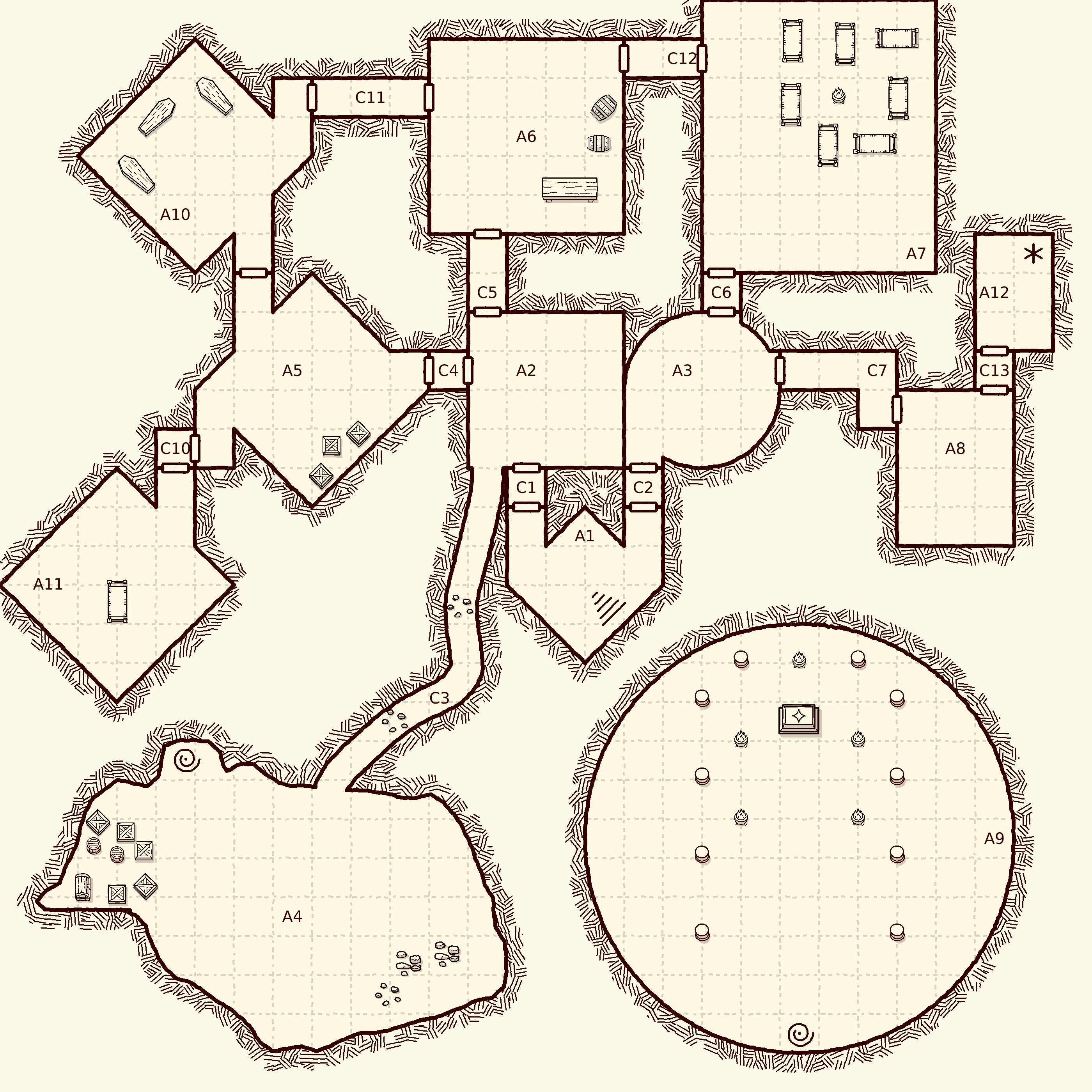
Dungeon Flow vs DunGen.app

DunGen gives you a finished battlemap.
Dungeon Flow gives you a dungeon you can finish your way.

Try it now. No signup required.

Generate and make basic edits without an account. A free account adds saves, PDFs, props, and remixing.

Move rooms and corridors in the Dungeon Flow editor

Move rooms and corridors

Move rooms and corridors without regenerating the entire map. And without redrawing every little detail by hand.

Edit room content in place in the Dungeon Flow editor

Edit room content in place

Change descriptions, encounters, traps, treasure, and GM notes without leaving the editor.

Add props to the map in the Dungeon Flow editor

Add props to the map

Creating a ruined sanctuary? Place props like altars, pillars, and rubble on the map. Bandit hideout? Drop in cots, tables, and more.

“Dungeon Flow is the best random dungeon generator I’ve ever used, and I’ve used a lot of them in my 25+ years playing D&D.”
Tyler Kamstra
Tyler KamstraCreator of RPGBOT

DunGen or Dungeon Flow?

Stick with DunGen if…

  • You primarily need a good-looking battlemap rather than generated adventure content.
  • You want rooms automatically populated with themed visual furniture and clutter.
  • You need upward and downward staircases for a multi-floor dungeon.
  • You want to generate maps directly inside Foundry without switching to a browser workspace.
  • You prefer seed-and-settings generation over maintaining editable dungeon projects.
  • You need Foundry compatibility before v13; DunGen’s module supports Foundry 10+.

Choose Dungeon Flow when…

  • You want encounters, traps, treasure, descriptions, and GM notes generated with the map.
  • You play D&D 5e, Pathfinder 2e, or Shadowdark.
  • You want to tweak the flow, encounters, traps, treasure, and room details after the initial roll without regenerating everything.
  • You want to move, add, or remove rooms and corridors.
  • You want to edit the dungeon’s logical structure in a flowchart.
  • You want saved projects, shareable links, or the ability to remix someone else’s dungeon.
  • You need print-ready PDFs or a DM reference document.
  • You want Foundry room journals and the ability to re-import after changing the original project.
  • You want a commercial-use license without paying for a separate creator tier.
Generate a free dungeon

Generate and make basic edits without an account. A free account adds saves, PDFs, props, and remixing.

See the difference

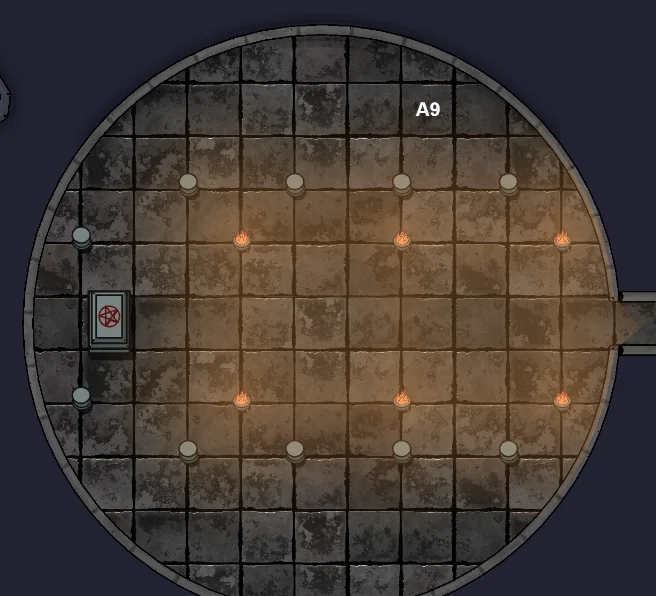
DunGen.app

Generated and furnished result
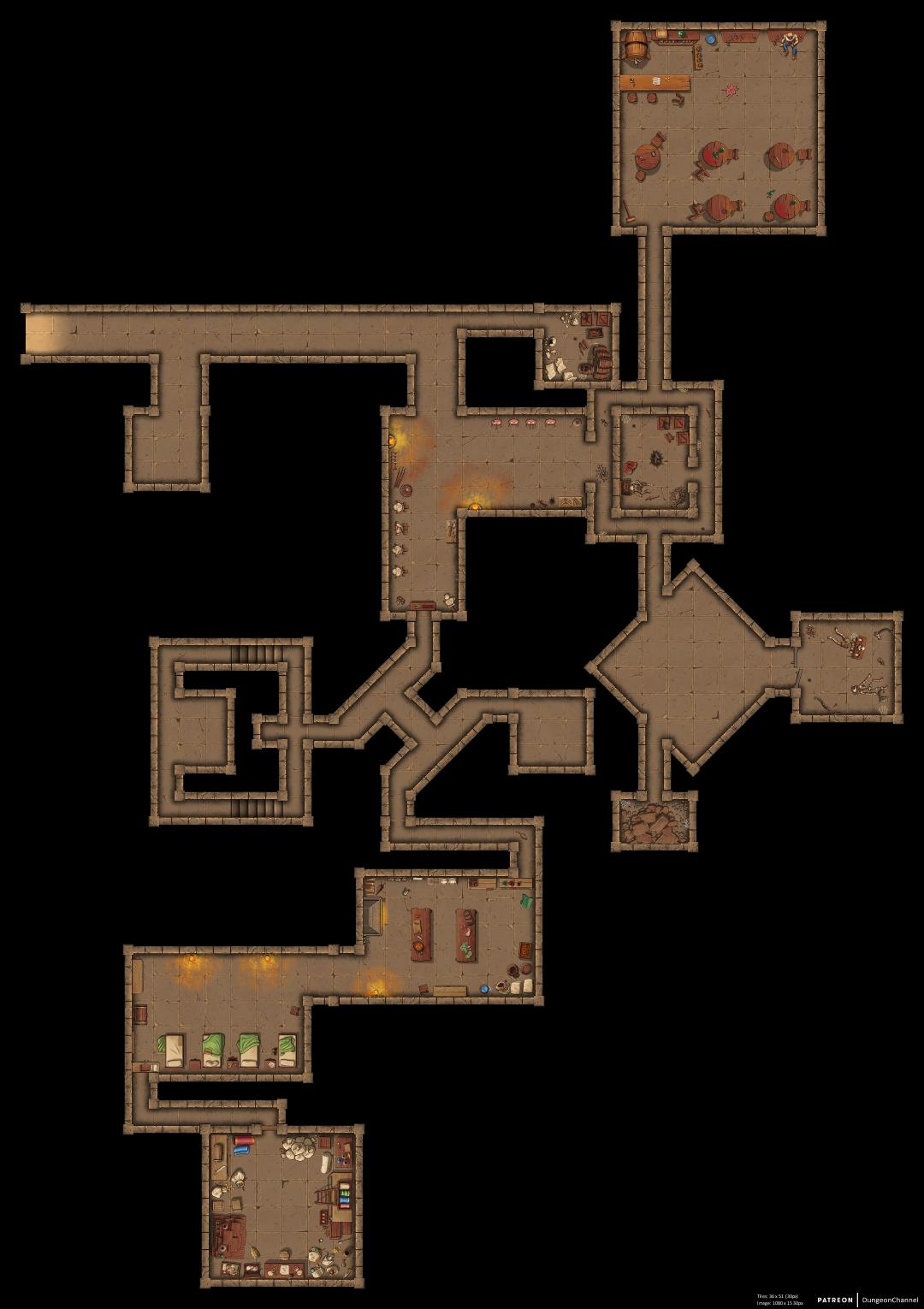
DunGen.app sandstone dungeon map with visual furnishing across rooms and corridors

A visually furnished battlemap ready to place in a VTT.

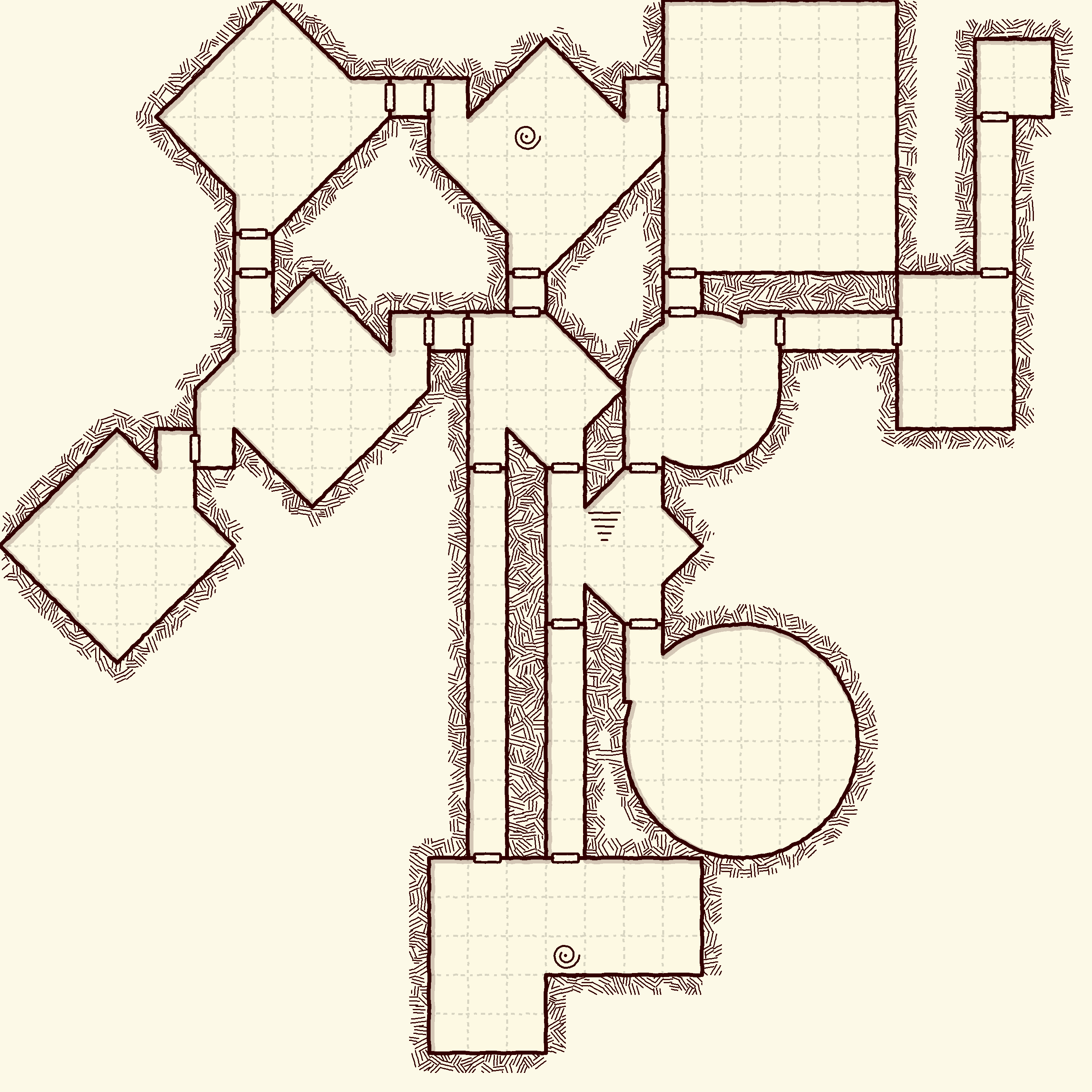
Dungeon Flow

Generated map

Dungeon Flow random dungeon map immediately after generation

A complete starting dungeon layout you can keep building.

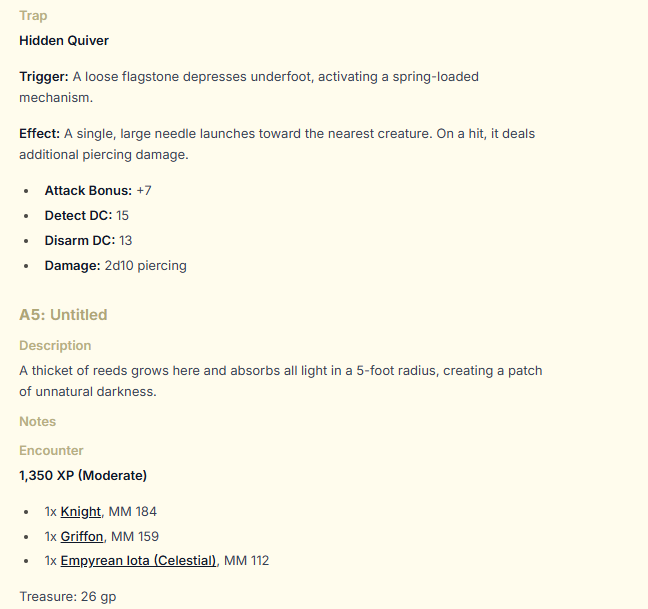
Dungeon Flow

Room content

Dungeon Flow room notes showing a trap with mechanics, a Moderate encounter with monster references, and treasure

Descriptions, trap mechanics, system-aware encounters, and treasure, not only visual furniture.

Dungeon Flow

After editing

Same Dungeon Flow dungeon after editing rooms and adding props

The same dungeon revised for the campaign and session, without starting over.

Feature-by-feature comparison

Access

Cost and licensing

DunGen.app
Free 70 px/tile maps. Dungeon Architect ($5/month) adds 140 px tiles and automatic walls/lighting. Commercial use requires Dungeon Merchant ($25/month).
Dungeon Flow
Generate, make basic edits, and export 100 dpi PNGs without an account. A free account adds saves, PDFs, props, and remixing. Pro ($5/month) includes commercial use, advanced map editing, high-res exports, Foundry, and Universal VTT.
Getting a first dungeon

DunGen.app
Generate in seconds on the web or inside Foundry. No account.
Dungeon Flow
Seconds to generate. Signup optional.

Game systems and content

DunGen.app
System-neutral visual map generator with automatic furnishing.
Dungeon Flow
System-aware encounters, traps, and treasure for D&D 5e, Pathfinder 2e, and Shadowdark, plus descriptions and GM notes.

Editing

Pre-generation controls

DunGen.app
Seed, theme, maximum size, tile size, furnishing habitat, and multi-level option.
Dungeon Flow
Guided setup for game system, party level, map size, room count, and generation settings intended to produce matching content and layout.

Post-generation editing

DunGen.app
None
Dungeon Flow
Free: edit flow, room content, notes, and room positions. Pro: resize or reshape rooms, reroute corridors, and change connection types directly on the map.

Automatic furnishing

DunGen.app
Yes. Habitat-based furnishing.
Dungeon Flow
No. Props are placed manually, though automatic furnishing is on the roadmap.

Manual prop placement

DunGen.app
None
Dungeon Flow
Place props from a built-in library, including rubble, barrels, altars, and more.

Multi-level dungeons

DunGen.app
Yes, through generated up/down staircases intended for stacking levels.
Dungeon Flow
No. It is on the roadmap, though.

Flowchart editing

DunGen.app
None
Dungeon Flow
View and edit how rooms connect without getting bogged down in map details.

Output

Map art styles

DunGen.app
Several detailed themes.
Dungeon Flow
Hand-drawn, Dark & Gritty, Old School Blue, and Full-Color Painted. Change the style without rebuilding the project.

Saving, sharing, and remixing

DunGen.app
None
Dungeon Flow
A free account saves dungeons and lets others copy and remix shared links.

PDF and print support

DunGen.app
None built in.
Dungeon Flow
Multi-page printable map PDFs and a separate DM reference sheet with a free account.

Integrations

Foundry workflow

DunGen.app
Generate and preview directly inside Foundry; create the scene immediately. Most generation features are free; automatically generated walls require Patreon.
Dungeon Flow
Browse saved projects inside Foundry, import walls, doors, grid, and journals, then re-import after editing the linked project. Requires Pro.

Foundry versions

DunGen.app
Foundry 10+, verified for v14.
Dungeon Flow
Foundry v13 and v14.

Other VTT platforms

DunGen.app
Map images for everyone. Automatic dynamic lighting for Roll20 and Fantasy Grounds LoS XML with Patreon.
Dungeon Flow
Map image on any VTT. Universal VTT (.dd2vtt) with walls, doors, and line of sight on platforms which support UVTT (Pro).

Commercial use

DunGen.app
Requires the $25/month Dungeon Merchant tier; standard terms cover personal noncommercial use and streaming.
Dungeon Flow
Included with $5/month Pro.

AI use

DunGen.app
No AI; assets are human-created.
Dungeon Flow
No AI; procedural generation.

Ready to try Dungeon Flow?

Generate a free dungeon

Questions about Dungeon Flow and DunGen.app

Is Dungeon Flow a good DunGen alternative?

Yes, especially if you want to keep editing after generation or need encounters, traps, treasure, notes, PDFs, and saved projects. DunGen.app remains stronger for automatic furnishing and generating maps directly inside Foundry.

Is Dungeon Flow free like DunGen?

Not quite. Dungeon Flow lets you generate, make basic edits, and export 100 dpi PNGs without an account. A free account adds saves, PDFs, props, and remixing. Pro is $5/month. DunGen.app generates free maps at 70 px/tile; higher-resolution maps, automatic walls/lighting, and commercial use require paid tiers.

Can I edit a DunGen dungeon after generating it?

No. DunGen.app has no post-generation dungeon editor, so structural or content changes mean regenerating or editing outside the tool. In Dungeon Flow, flow, content, note, and room-position edits are free; Pro adds direct room reshaping and corridor rerouting.

Which tool is better for Foundry VTT?

DunGen.app can generate and create a map directly inside Foundry and supports older Foundry versions. Dungeon Flow lets you edit and save in its workspace, then import walls, doors, grid data, and room journals and re-import after later changes (Pro).

Can I use generated maps commercially?

Dungeon Flow includes commercial use with $5/month Pro. DunGen.app’s commercial license is on the $25/month Dungeon Merchant tier.