What gets imported into Foundry?
Dungeon Flow imports the map as the scene background, aligns the grid, adds walls and doors for line of sight, and creates journal entries for rooms, encounters, traps, treasure, and GM notes.
Dungeon Flow creates a table-ready dungeon you can revise before import.
Generate first, link to your Foundry world later.
Supports Foundry VTT v13 and v14.
No account needed to generate. Foundry import/export requires Pro.
Dungeon Flow generates the map and the room notes at the same time. You get a fully connected layout populated with descriptions, encounters, traps, and treasure to give you a massive head start on your session prep.
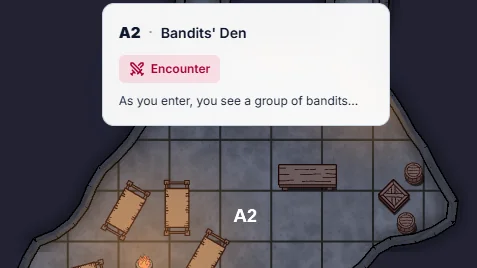
See the big picture
Scan the generated map to see exactly where the encounters, traps, and empty rooms are placed.
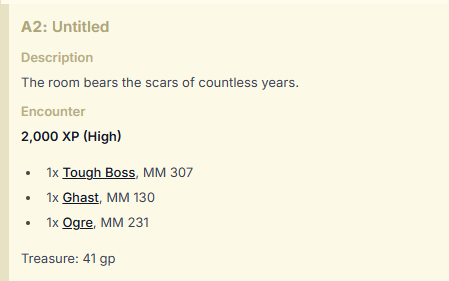
Review the details
Every room comes with a complete key. Review the descriptions, monsters, and treasure before you export.
Bring the entire dungeon into your world at once. Stop manually scaling background images, drawing line-of-sight walls, and copying text into room pins. The Dungeon Flow module automatically aligns the grid, draws the walls and doors, and pins all the room notes to the map as journal entries.
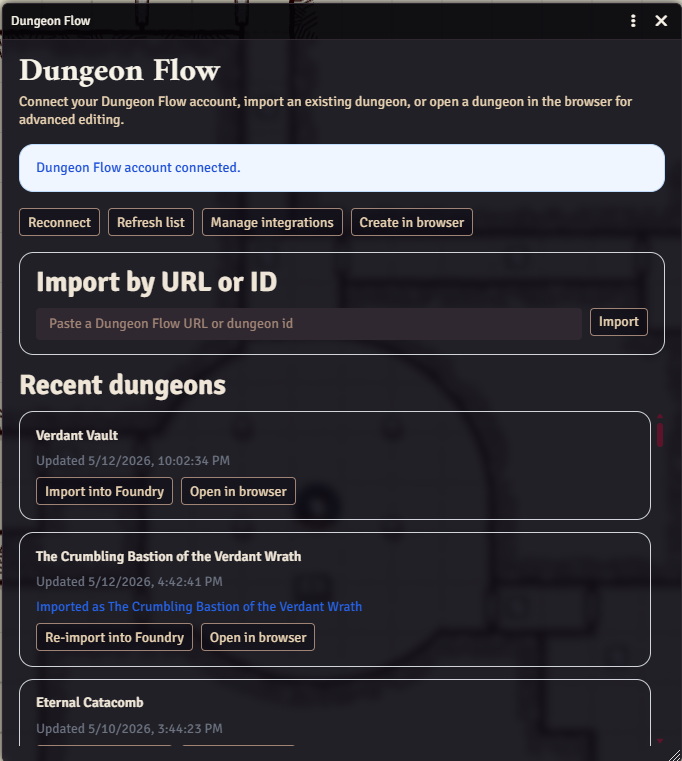
One-click import
Connect your account and import the entire dungeon scene directly from the module menu.
Automatic walls and doors
The map geometry is converted into Foundry walls instantly. You never have to draw line-of-sight by hand.
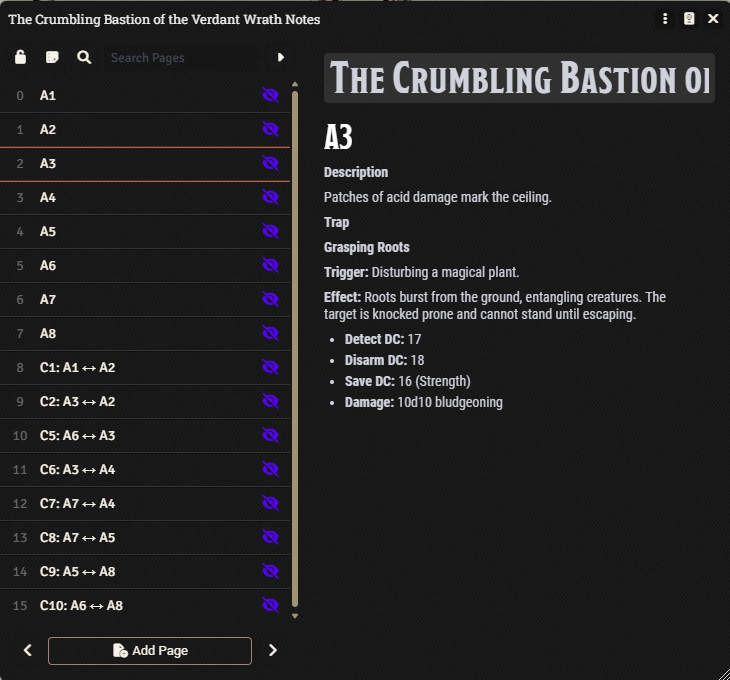
Pinned room notes
Encounters, traps, and GM notes are automatically created as journal entries and pinned to the exact right room.
“Dungeon Flow is the best random dungeon generator I’ve ever used, and I’ve used a lot of them in my 25+ years playing D&D.”

Try the generator before you subscribe. Upgrade when you want the Foundry scene setup: walls, doors, journals, pins, and linked re-imports.
See Pro pricingDungeon Flow imports the map as the scene background, aligns the grid, adds walls and doors for line of sight, and creates journal entries for rooms, encounters, traps, treasure, and GM notes.
Yes. For free, you can revise the flow graph, adjust room and connection details, regenerate content, refine notes, and use basic map cleanup tools before importing. Pro adds the advanced map editing tools: resizing and reshaping rooms, moving corridors, and changing connection types directly on the map.
You can generate and tweak dungeons for free. 100 dpi PNG export needs no account. A free account lets you save, export PDFs, and apply props, liquids, atmosphere, light effects, and floor textures. Foundry import/export, advanced map editing, XL, Gigantic, and custom map sizes, and 300 dpi exports require Pro.
The Dungeon Flow module supports Foundry VTT v13 and v14.
Yes. After a dungeon has been imported, update it in Dungeon Flow and use the module to re-import into the linked Foundry scene.
Hand-drawn, Dark & Gritty, Old School Blue, and Full-Color Painted are available in the editor and exports. Free exports include the selected style at 100 dpi with a watermark; Pro adds 300 dpi output and removes the watermark.
No. Dungeon Flow is a traditional random dungeon generator. It uses sophisticated procedural techniques to produce high-quality maps and dungeon prep without relying on AI.
Many Foundry dungeon generators focus on creating a map or scene. Dungeon Flow generates the dungeon prep too: room descriptions, encounters, traps, treasure, GM notes, and an editable room flow before you import the configured scene into Foundry.