Connect your rooms with portals, not just corridors
by Josh
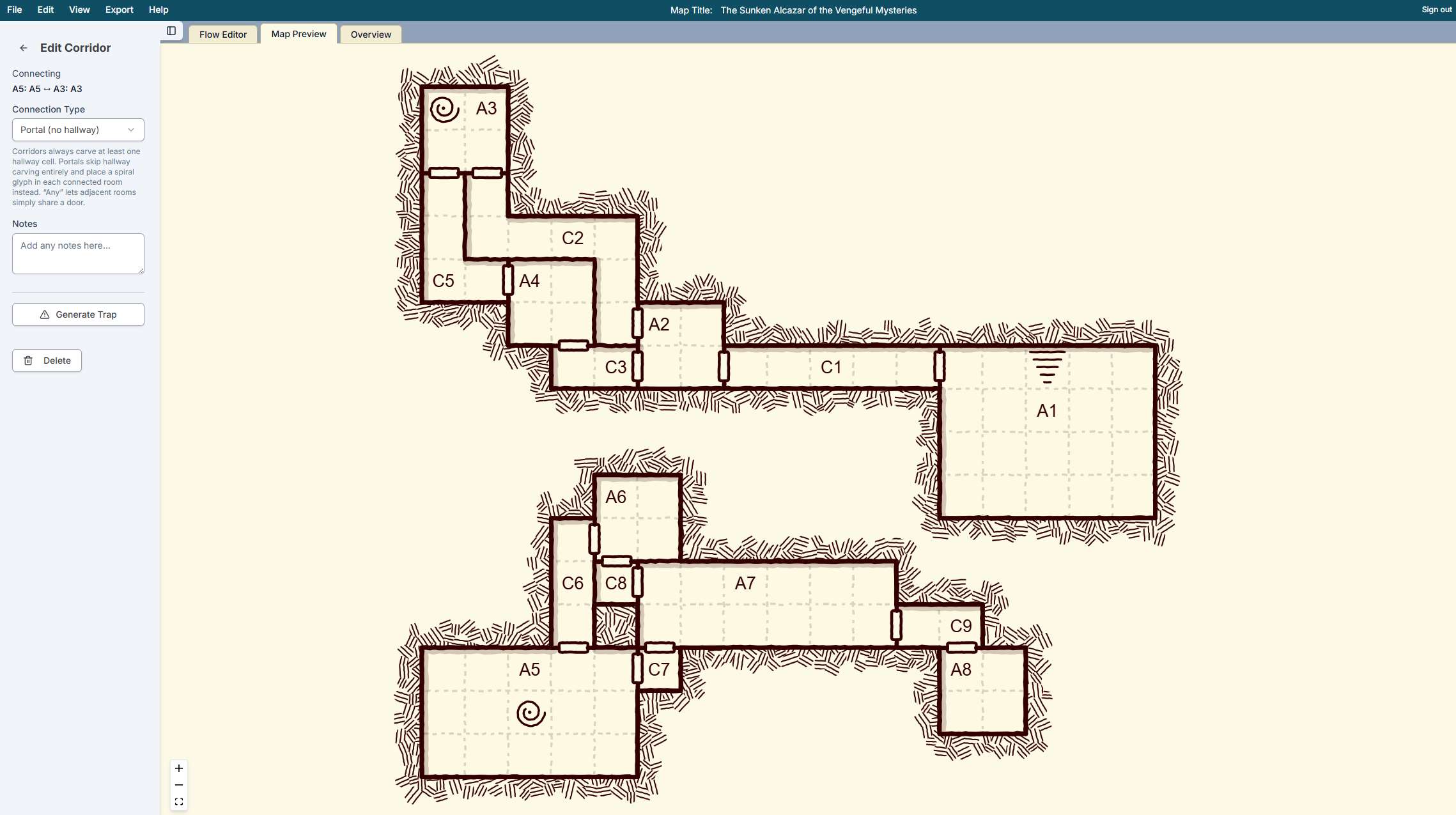
You can now mark connections as portals instead of regular corridors. When rooms are connected by portals, each room will include a portal symbol so you can see how they connect.
How to use it
- Generate a new dungeon or open an existing one.
- In any tab, click on the corridor you'd like to convert into a portal connection.
- In the sidebar, change the connection type to "Portal".
- Go back and click "Generate Map" to update the map with the new portal setting
Share your portal layouts in Discord, or let us know what other connection types you'd like to see.