Run Your Dungeon from the Overview Tab
by Josh
Up until now, the DM reference sheet PDF has been the go-to way to get your notes in order. Export it, print it, and flip through the rooms on paper. That sheet is still there when you need a paper reference, but now you can run your game directly inside Dungeon Flow.
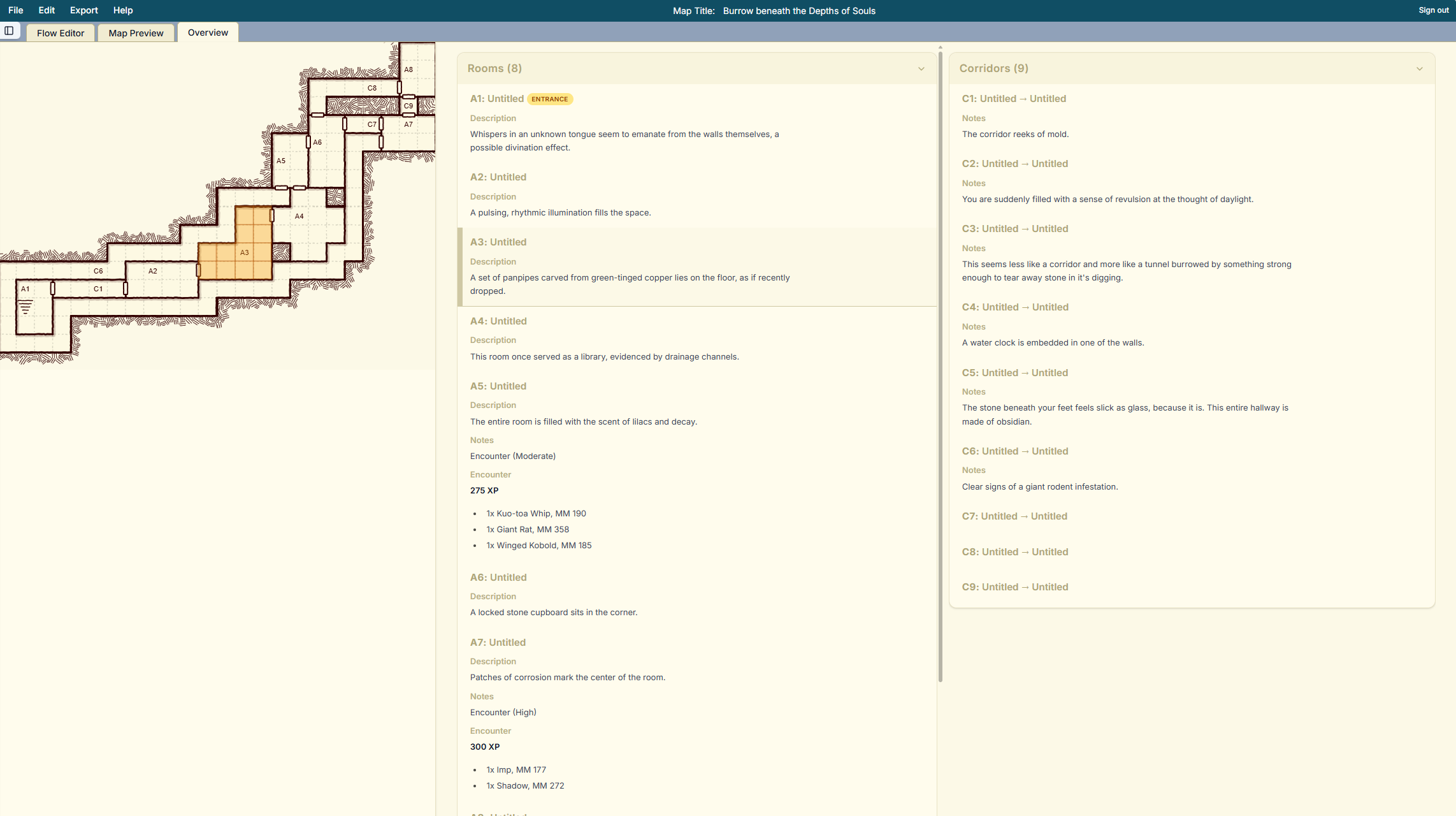
We just added an Overview tab to the editor. It shows the same labeled mini map, room summaries, and corridor notes you expect from the PDF. Click a room on the mini map and you jump straight to its notes. Click a room in the list and it highlights on the map. When your party explores the dungeon, you can follow along by tapping rooms as they discover them.
How to use it
- Open a dungeon in the editor and click Overview next to Flow Editor and Map Preview.
- Tap a room in the mini map or list to jump to its notes, encounters, and traps. Tap a room's notes to highlight it on the map.
- Scroll through corridors to keep travel descriptions and ambushes ready.
Keep the Overview tab open on a laptop or tablet while you run the game. The existing DM reference sheet export is still a click away if you want a backup copy, but you may discover you no longer need to print anything. Let us know how it goes in Discord or contact us.